AI-Powered Feedback and Student Support Tools
Beyond lesson planning, AI is increasingly being used to support students directly — providing feedback on writing, practice for speaking, and personalized learning pathways. This lesson explores the most useful AI-powered student support tools and how to integrate them effectively into your teaching.
AI for written feedback
AI writing tools can provide instant, detailed feedback on student writing — analyzing grammar, vocabulary, coherence, and style.
Key tools:
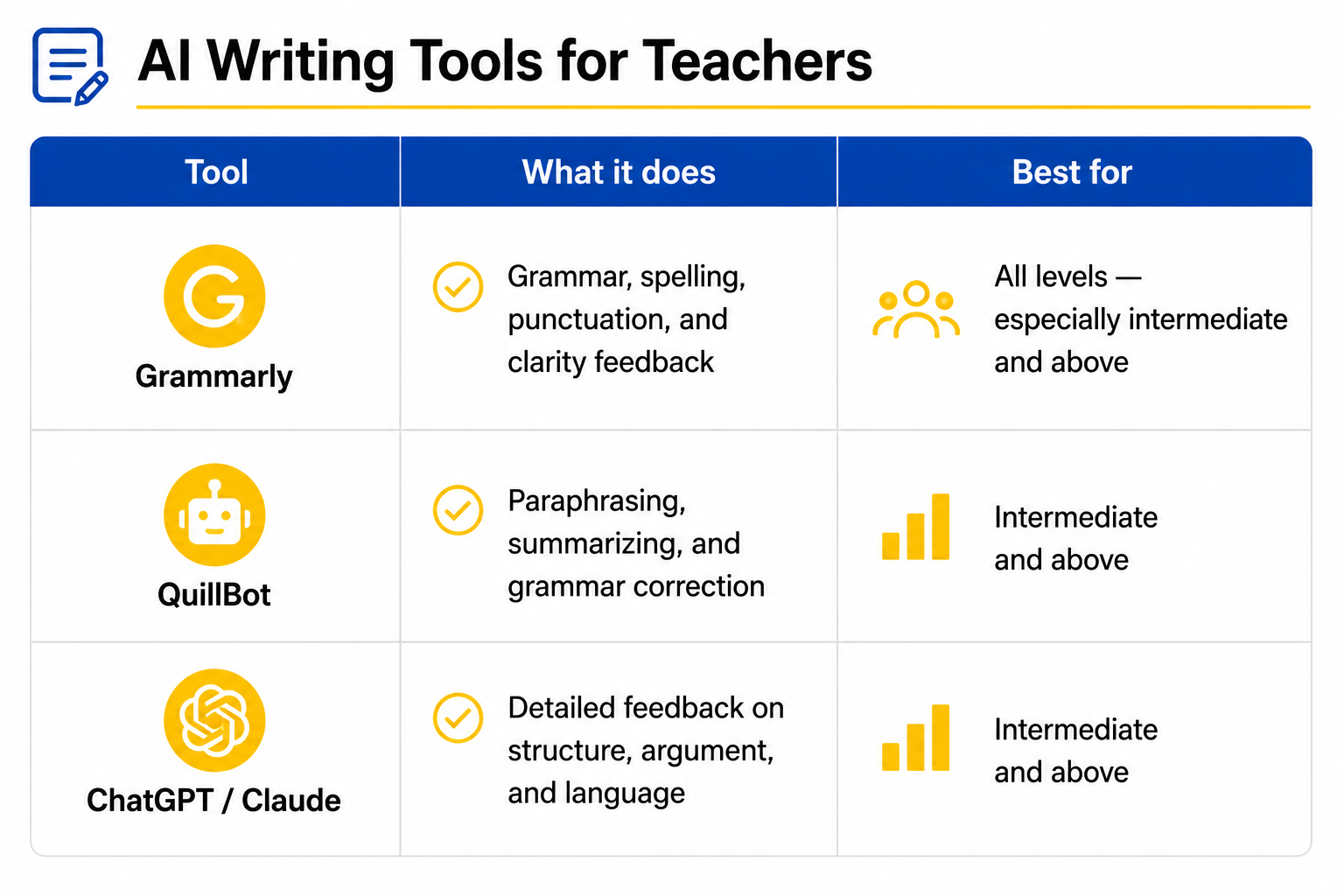
✓How to use AI feedback effectively in the classroom:
- Use AI feedback as a first draft tool — students get AI feedback, revise, then submit to the teacher
- Ask students to reflect on the feedback — "What did the AI suggest? Do you agree? Why or why not?"
- Use AI feedback to identify patterns — if many students receive the same feedback, address it as a class
- Teach students to evaluate AI feedback critically — it is not always correct
AI for speaking practice
Speaking practice is one of the hardest things to provide outside the classroom — students need a real interlocutor to practice with. AI is changing this.
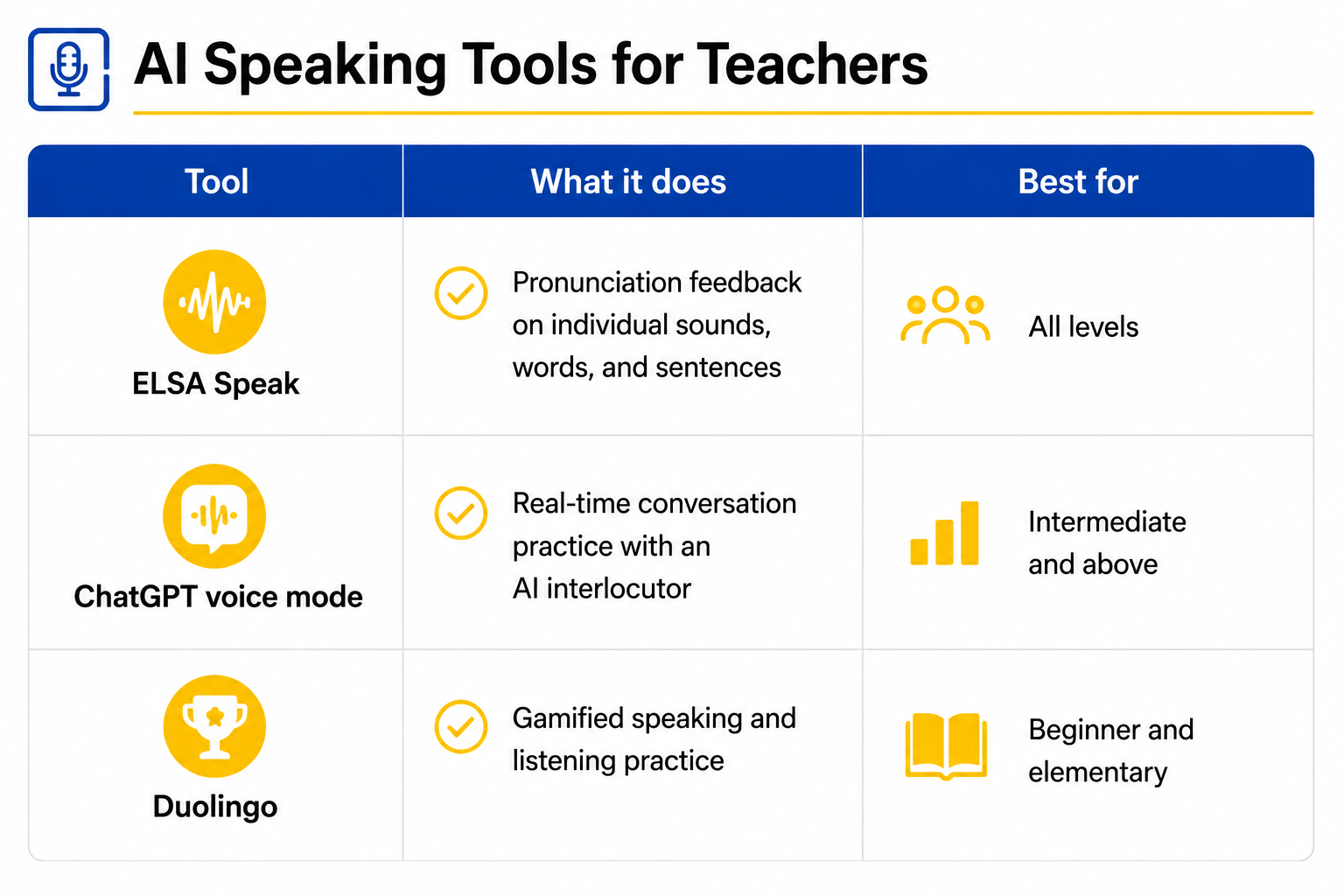
✓How to integrate speaking AI tools:
- Assign specific speaking tasks for students to practice at home using AI tools
- Use ELSA Speak for targeted pronunciation practice on sounds identified in class
- Ask students to have a conversation with ChatGPT voice mode and report back on what they discussed
- Use AI speaking practice as preparation for in-class speaking tasks
AI for personalized learning
AI-powered platforms can adapt to individual student performance — identifying gaps, adjusting difficulty, and providing targeted practice.
✓Key platforms:
- Duolingo — gamified, adaptive language learning for vocabulary and grammar
- Quizlet — AI-powered flashcard and quiz system that adapts to student performance
- Khan Academy — structured learning pathways with AI tutoring support
- Khanmigo — AI tutor built into Khan Academy that guides rather than gives answers
Using AI tools ethically with students
As AI becomes more integrated into education, teachers have a responsibility to use it ethically and transparently. - Be transparent — tell students when and why you are using AI tools - Protect student privacy — never input identifiable student data into AI tools without consent - Model responsible AI use — show students how to use AI as a support tool, not a replacement for thinking - Stay informed — AI is developing rapidly; keep up with new tools and their implications for teaching
Building your AI toolkit — step by step
Just like building a digital teaching toolkit (Module 14), start simple and build gradually.
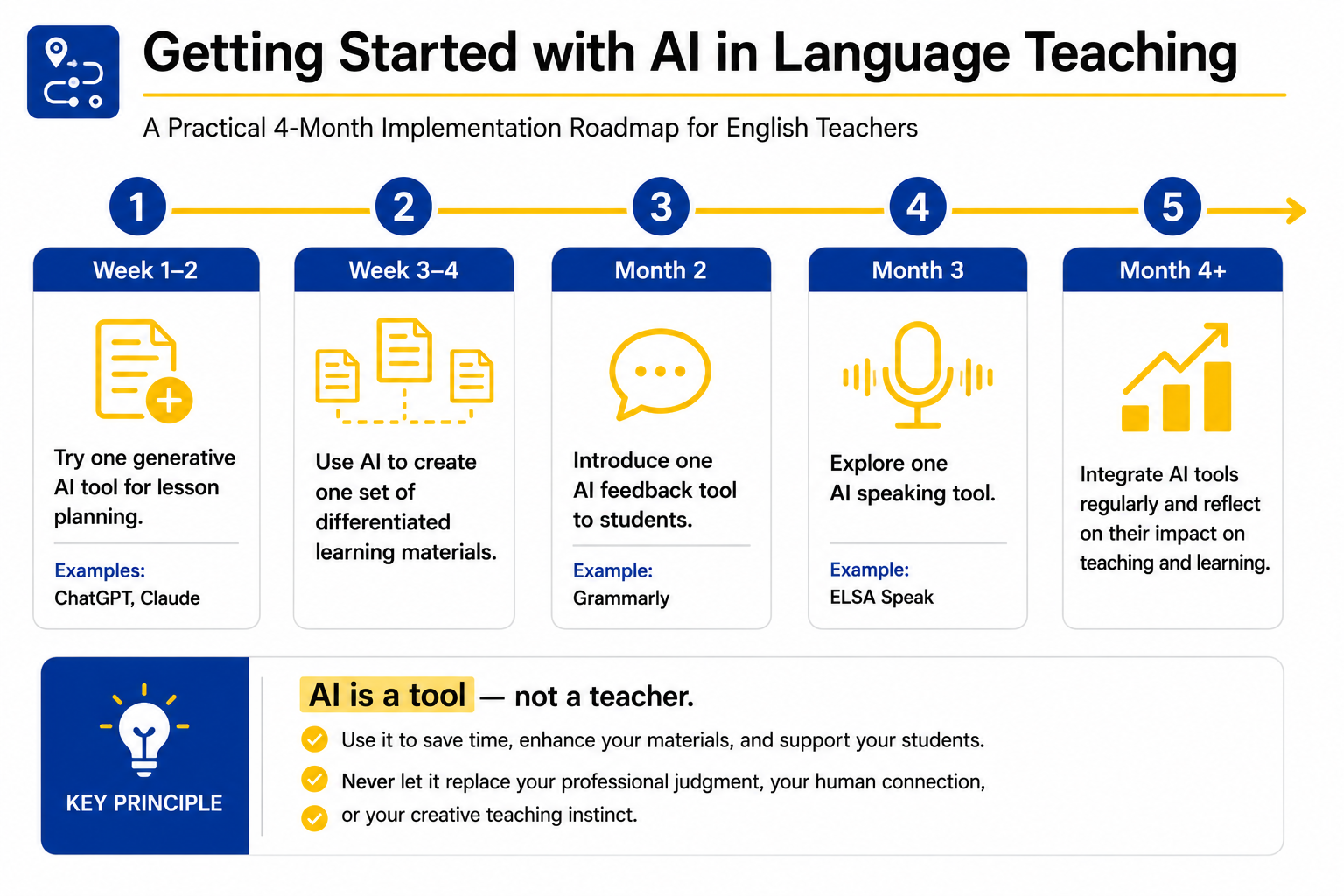
✓Bonus Module Summary
- AI can save teachers time and enhance lessons — but it cannot replace human expertise or connection
- Specific, well-crafted prompts produce better AI output — always review and adapt before using
- AI tools can support student writing, speaking, and personalized learning — use them ethically and transparently