Using AI for Lesson Planning and Materials Design
One of the biggest time costs in teaching is materials preparation. AI tools can dramatically reduce this burden — giving teachers more time to focus on what matters most: the students in front of them.
AI for lesson planning
Generative AI tools like ChatGPT, Claude, and Gemini can produce detailed lesson plans in seconds. But the quality of what you get depends entirely on the quality of what you ask for.
How to write effective AI prompts for lesson planning
The more specific your prompt, the better the output.
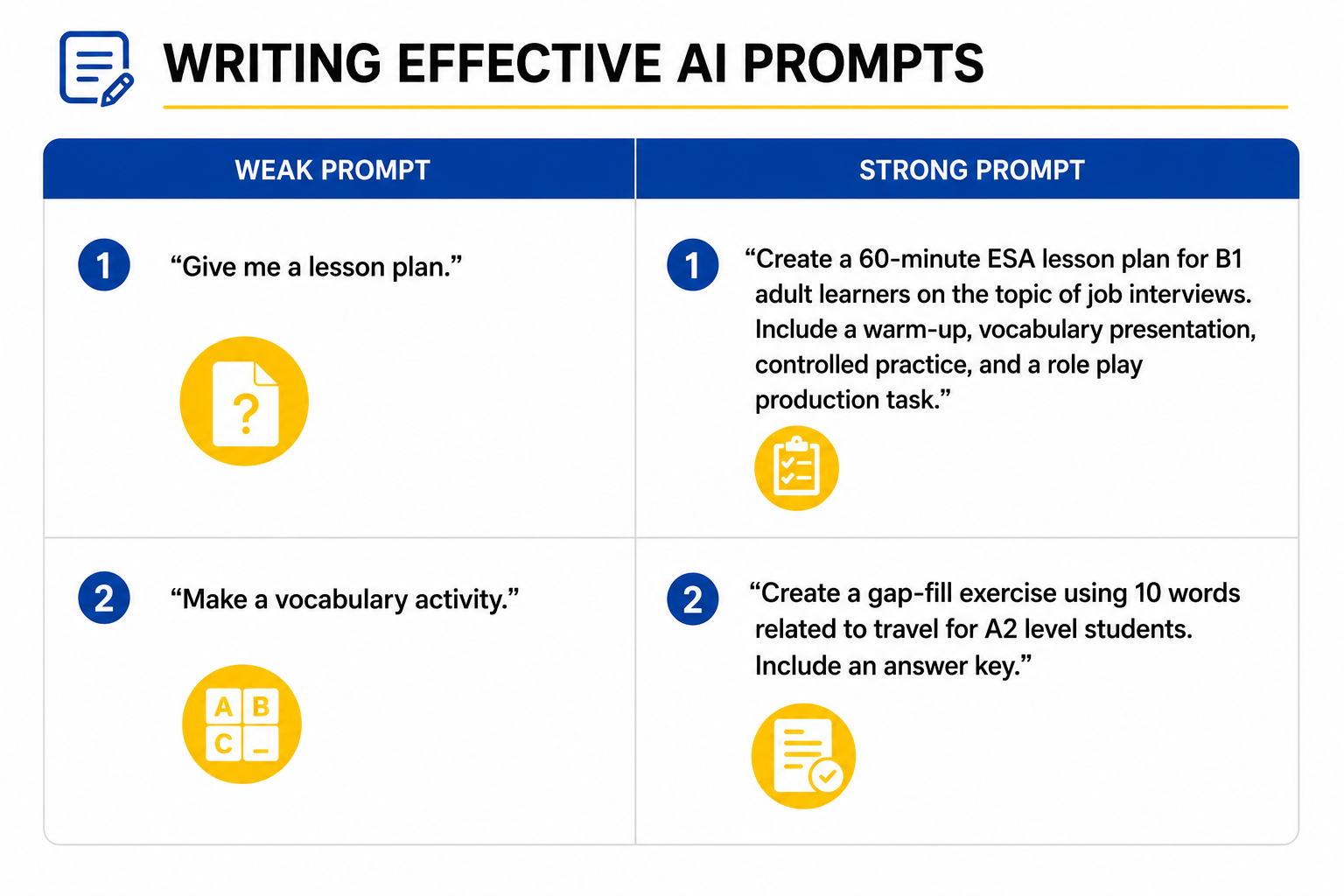
Prompt formula: "Create a [task type] for [level] [learner type] on the topic of [topic]. Include [specific requirements]."
AI for materials design
Reading texts
AI can generate reading texts on any topic at any level — instantly. - "Write a 200-word informational text about climate change for B1 level ESL students. Use simple vocabulary and short sentences." - "Write a formal email from a customer complaining about a late delivery. Use B2 level vocabulary."
Always review AI-generated texts before using them — check for accuracy, natural language, and cultural appropriateness.
✓Vocabulary activities
- Gap-fill exercises with word banks
- Matching activities — words to definitions
- Categorization tasks — sorting words into groups
- Word family charts
- Collocation practice activities
✓Grammar exercises
- Controlled practice drills
- Error correction tasks
- Sentence transformation activities
- Contextualized grammar explanations with examples
Differentiated materials
One of the most powerful uses of AI in teaching is differentiation. Ask AI to produce the same activity at multiple levels simultaneously. - "Create three versions of this reading comprehension task — one for A2, one for B1, and one for B2 learners."
This saves hours of preparation time and ensures every student has access to appropriate materials.
✓Important considerations when using AI for materials
- Always review before using — AI can make factual errors, produce unnatural language, or include culturally inappropriate content
- Adapt, don't just copy — use AI output as a starting point, not a finished product
- Add your knowledge of your students — AI doesn't know your class; you do
- Check copyright — be aware of intellectual property considerations when using AI-generated content commercially
✓By the end of this lesson, you should be able to:
- Write effective AI prompts for lesson planning and materials design
- Use AI to create reading texts, vocabulary activities, and grammar exercises
- Explain the importance of reviewing and adapting AI-generated materials