Tools and Tech for Online English Teachers
You don't need to be a technology expert to teach effectively online — but knowing the right tools, and how to use them confidently, makes a significant difference to lesson quality and student experience.
Core teaching platforms
These are the video platforms used to deliver online lessons:
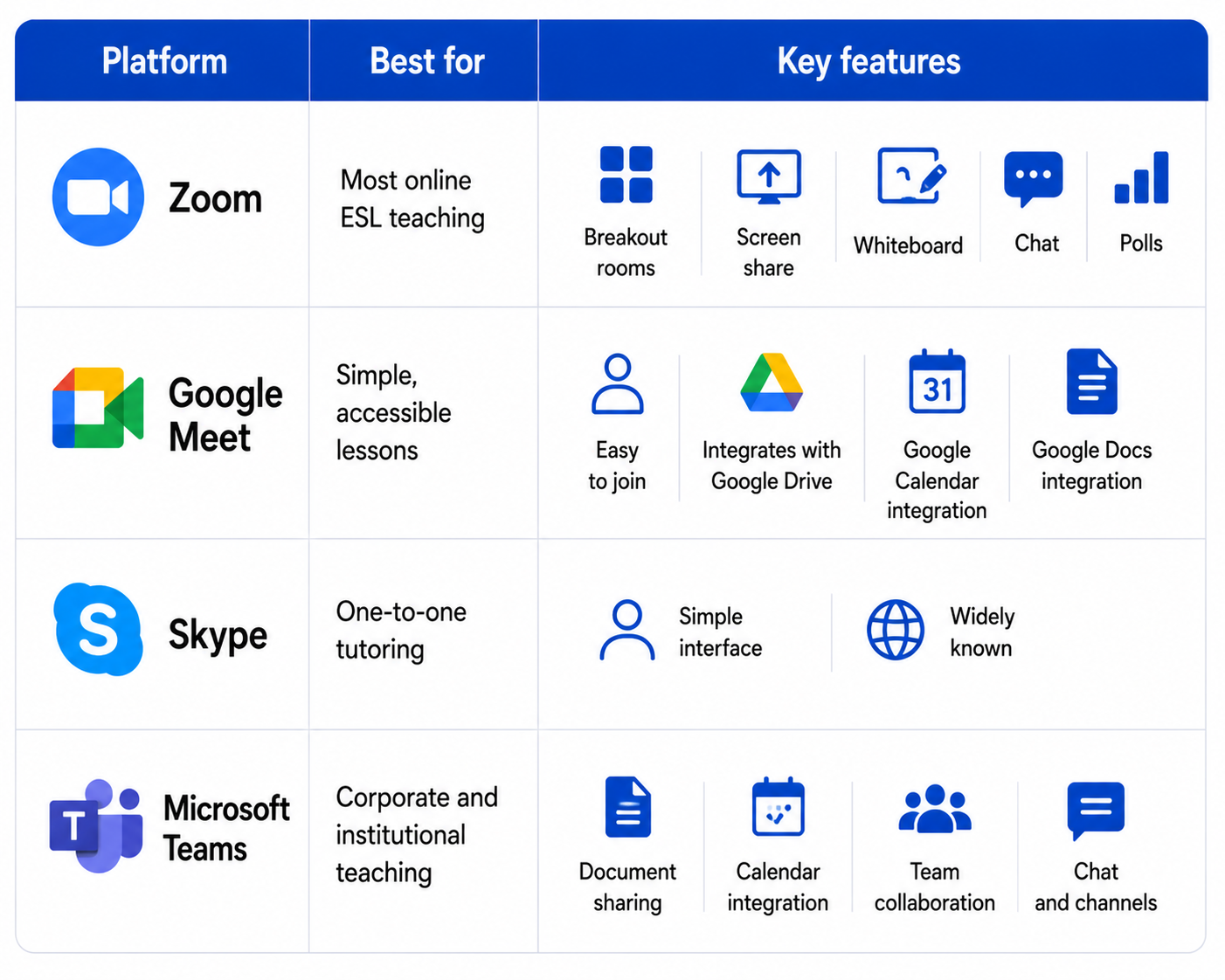
Recommendation for new teachers: Learn Zoom first. It is the most widely used platform in online ESL and has the most features for interactive teaching.
Tools for interactive lessons
✓Presentation tools
- Google Slides — shareable, editable, accessible from any device
- Canva — beautiful, easy-to-design slides and visual materials
- PowerPoint — standard and familiar; works well when screen shared
✓Interactive activity tools
- Kahoot — competitive quiz game; highly engaging for all ages
- Quizlet Live — vocabulary games and flashcard activities
- Wordwall — customizable games — matching, anagrams, word search, and more
- Mentimeter — live polls, word clouds, and Q&A — great for engagement and discussion starters
✓Collaborative tools
- Google Docs — students and teacher write and edit simultaneously in real time
- Jamboard — virtual whiteboard for brainstorming and collaborative tasks
- Padlet — digital noticeboard where students post text, images, and links
✓Assessment tools
- Google Forms — quizzes, exit tickets, needs analysis surveys
- Edpuzzle — embed questions into video clips — great for listening tasks
- Flipgrid — students record short video responses — excellent for speaking tasks
Managing materials online
Organisation is essential when teaching online. Materials scattered across multiple folders, drives, and platforms create delays and unprofessional lessons. - Create a clear folder system — one folder per student or class, organized by date - Use Google Drive or Dropbox to store and share materials easily - Prepare all links, documents, and slides before the lesson - Test all links and tech before the lesson starts
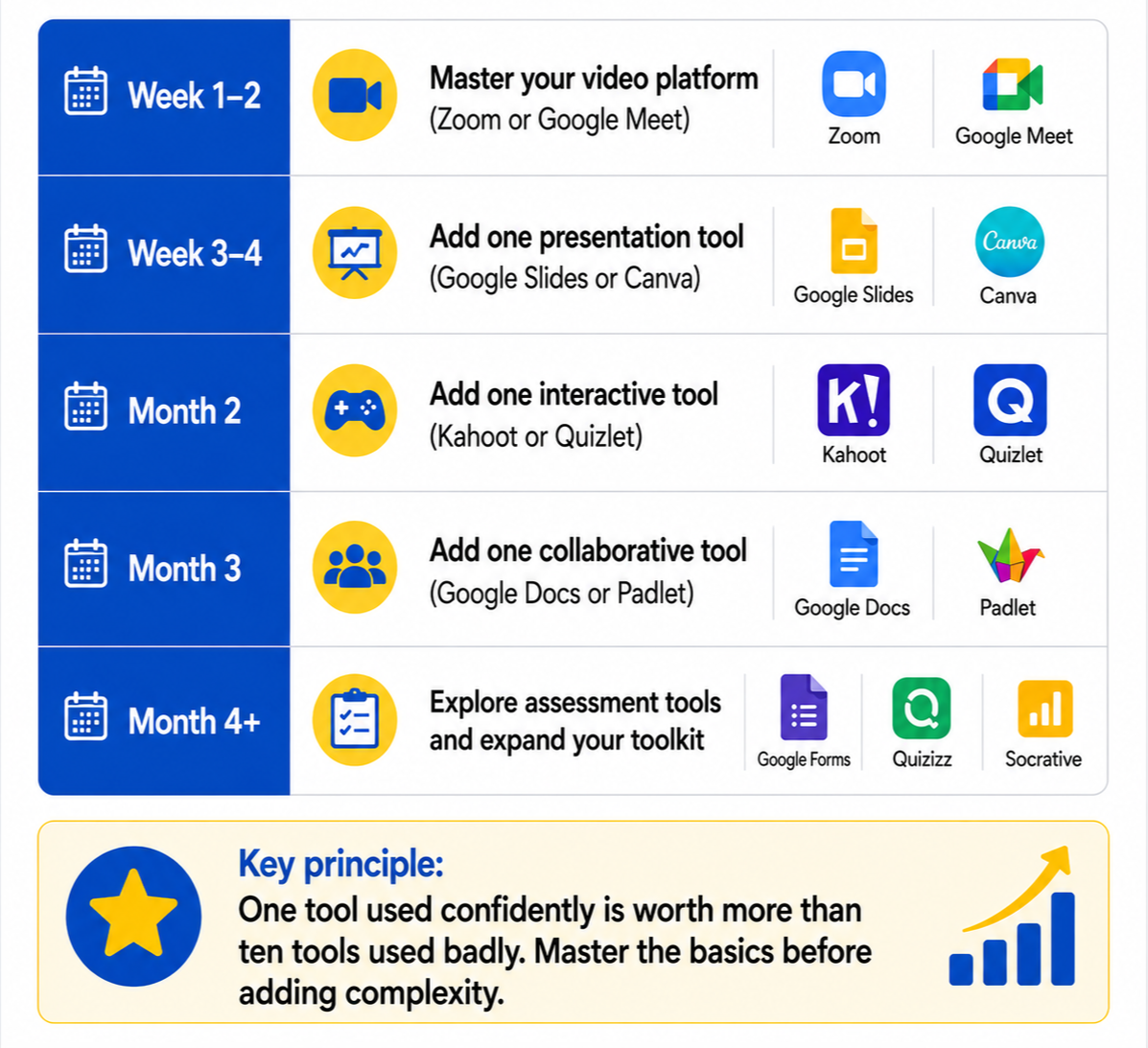
Building your online teacher toolkit — step by step
For new online teachers, the amount of available technology can feel overwhelming. Start simple and build gradually.
Staying safe online
Online teaching involves working with students — sometimes minors — in a digital environment. Professional and ethical standards apply online just as they do in a physical classroom. - Use platform waiting rooms — never allow students to enter before you are present - Record lessons only with explicit student/parent consent - Never share personal contact details with students outside the platform - Follow your platform's or school's safeguarding policies at all times - Report any concerning behavior to your platform or institution immediately